When using the YRC1000 controller, Alarm 0060: Communication Error (IO Module) [1] may occur during startup.
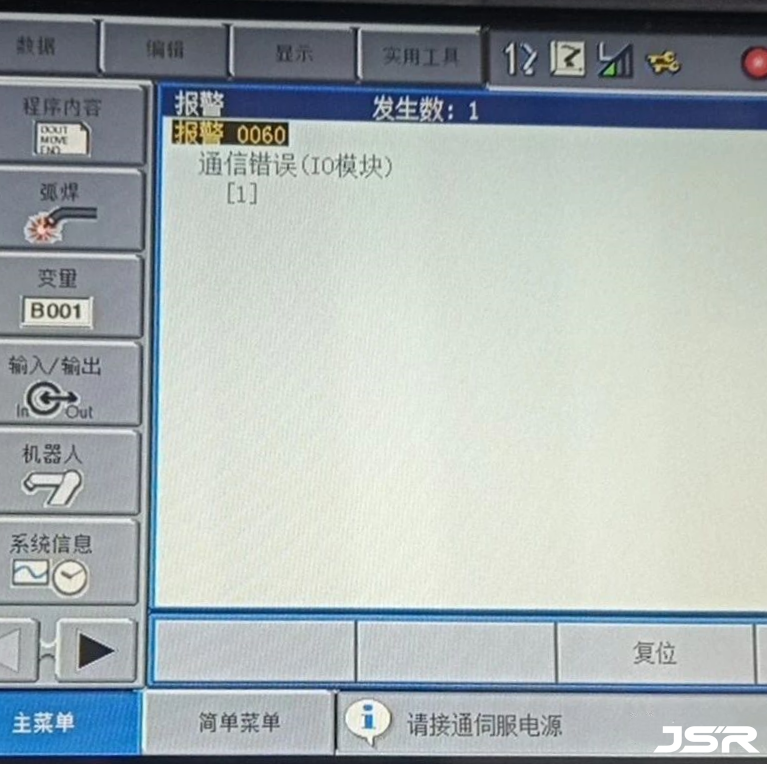
Alarm Description:
The YRC1000 stores information about connected IO modules in advance.
When the controller is powered on, it automatically checks whether the stored IO modules are present.
If any IO module cannot be confirmed, this alarm will occur.
The cause may vary depending on the subcode. In this case, the subcode is [1], which indicates that:
When the control power is turned on, an abnormality is detected during communication between the IO module board connected to Serial Bus No.1.
Common Causes:
– Software (setting abnormality)
– Cable issue
– IO module failure
– AIF01 board abnormality
– Other related factors
Recommended Checks:
Verify the rotary switch settings for each IO module slot number.
For detailed setting methods, refer to the manuals of the corresponding IO modules (such as Profinet, Profibus, CC-Link, etc.).
Replace the AIO01-E board, then set up the IO modules in maintenance mode.
Refer to “Yaskawa Robot IO Unit Setting Function” for configuration details.
Replace the AIF01 board.
Before replacement, make sure to back up CMOS.BIN.
After replacing the board, reload the previously saved CMOS.BIN.
For backup procedures, refer to “Yaskawa Robot System Backup“.
For technical support, automation solution or spare parts, feel free to contact JSR Automation.
Post time: Mar-25-2026