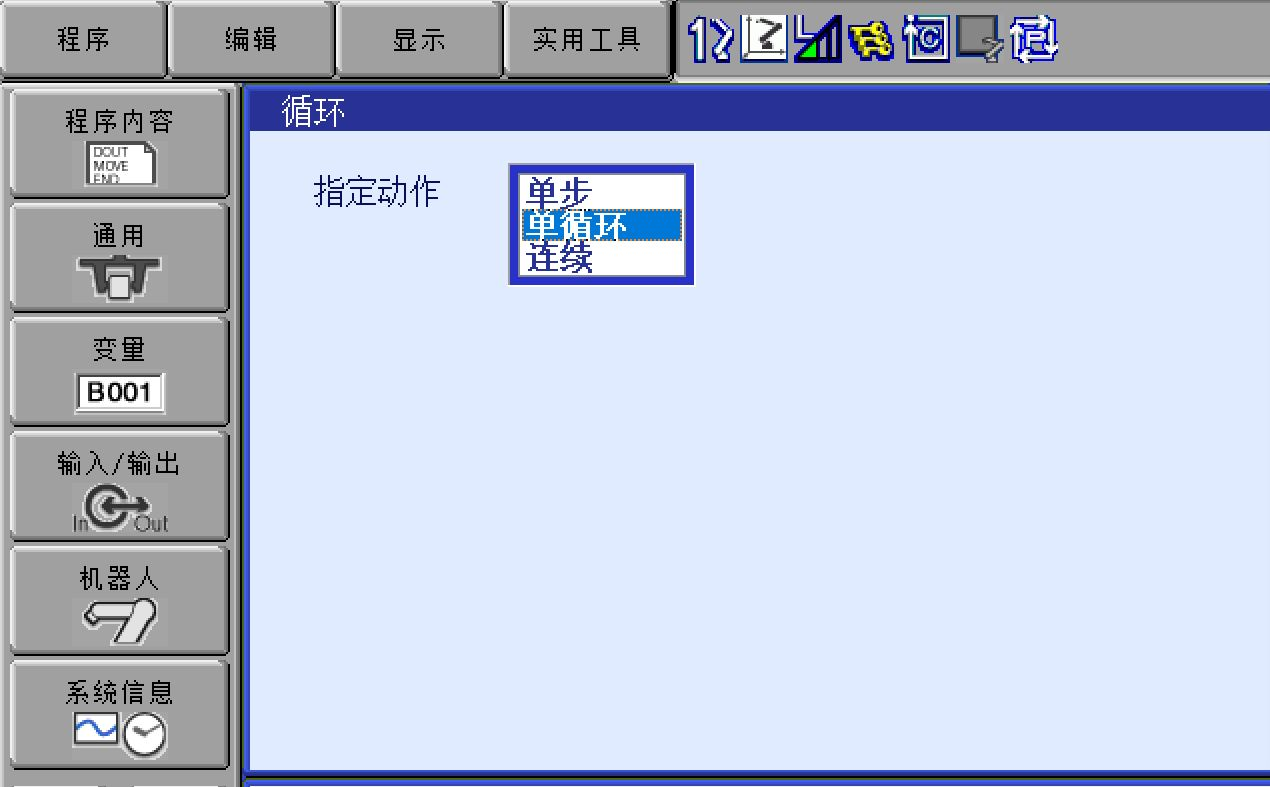
Yaskawa robots have the following three motion cycle modes:
Single Step
Used when executing commands step by step.
Single Cycle
This is the default setting in most cases.
The program is executed once from the start to the END command.
However, if the program is a called subprogram, execution will return to the original program after the END command of the called program.
Continuous
Used when the program needs to be executed repeatedly in a continuous loop.
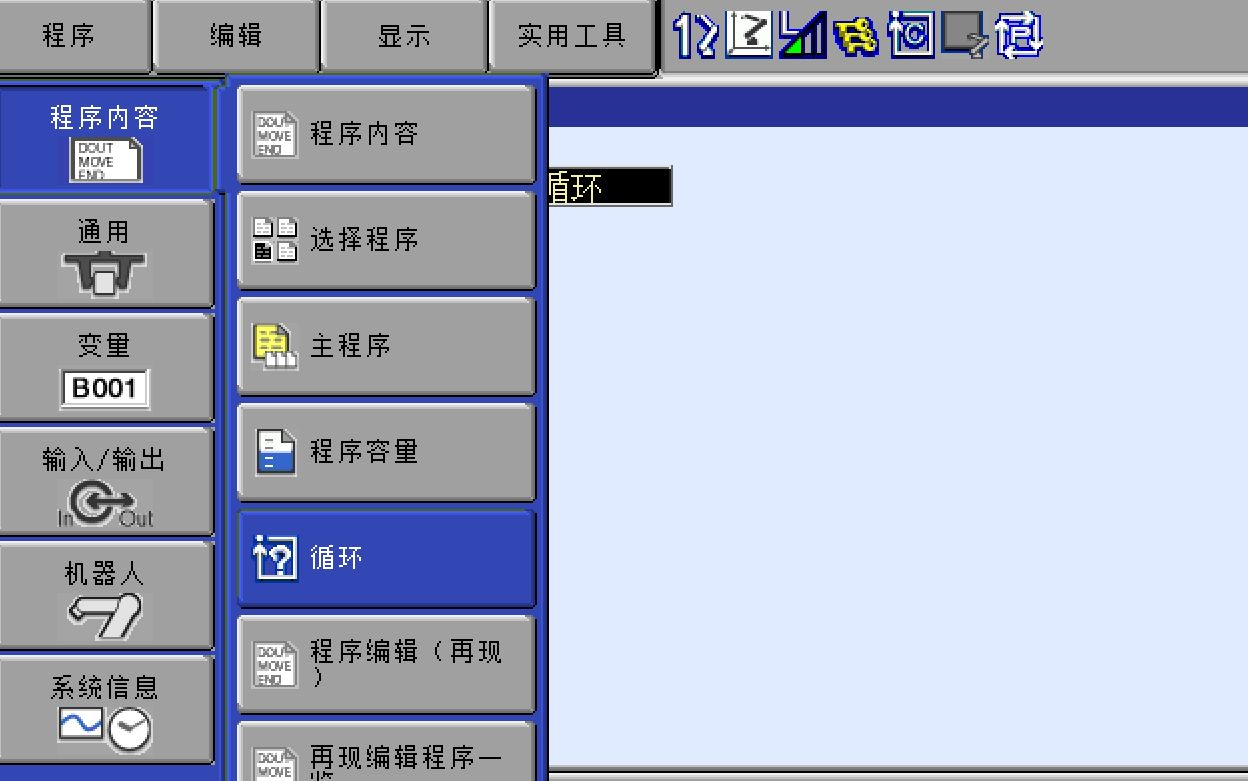
The motion cycle mode can generally be changed through the following steps:
1. Select [Program Content] → [Cycle] in the main menu.
2. Select the target motion cycle mode to make the change.
If you have any questions about Yaskawa robot operation or programming, feel free to contact JSR Automation for support.
Post time: Jan-20-2026