Yaskawa Robot Basics: How to Change the Speed Setting
Just received a new Yaskawa robot? If you’re still getting familiar with the teach pendant, knowing how to adjust the robot speed is one of the basic operations to learn.
How do you change the speed setting?
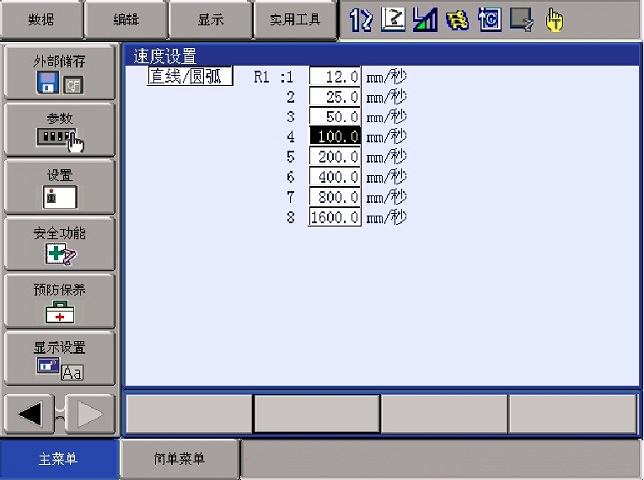
1. Select Main Menu → Setting → Set Speed.
2. Press Page to switch control groups, if needed.
3. Select Joint or Linear/Arc.
4. Select the speed value you want to change.
5. Enter the new value and press Enter to confirm.
That’s it! The speed setting is updated.
Post time: Nov-11-2026